
Plan: Portal Pay part of it only works when promises can be created (Pro+). On other plans the same page says Part payment is not available on this link. Staff Mark paid → Record payment is on every plan and is the money write for offline parts.
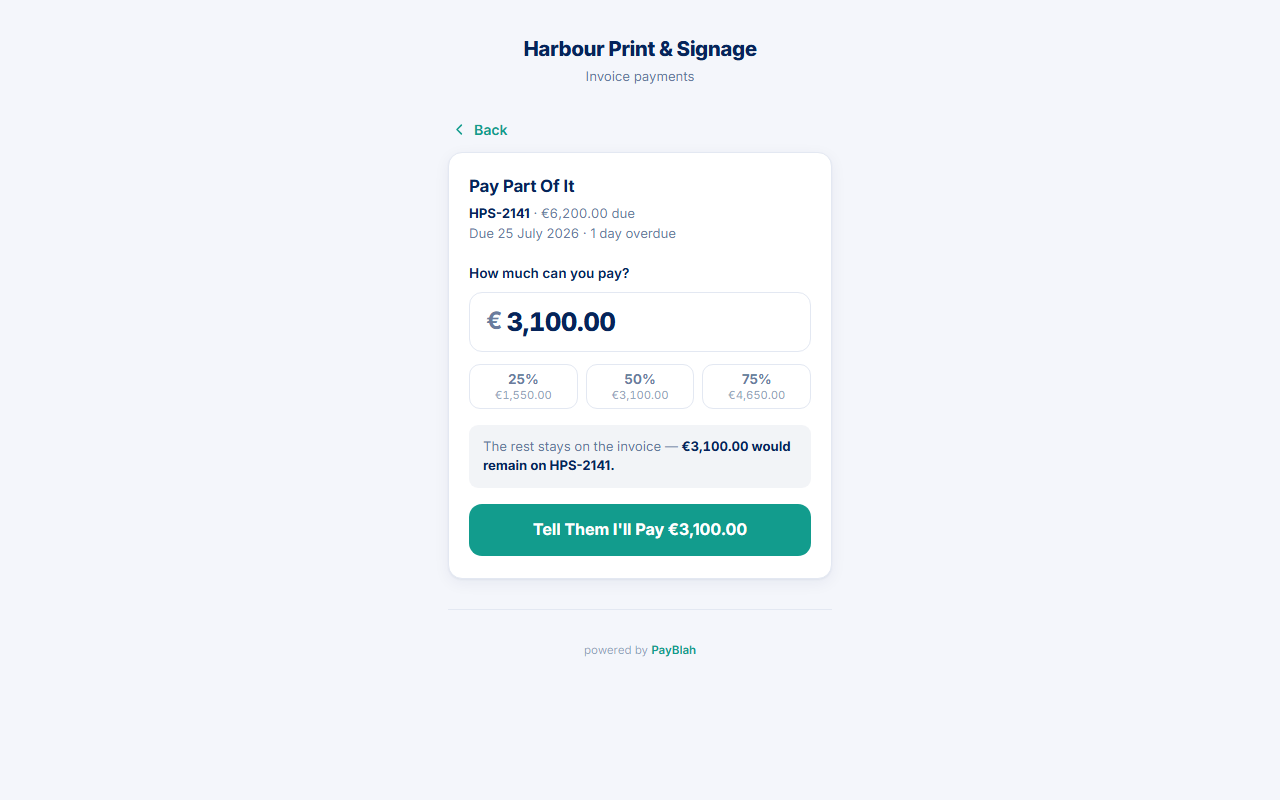
Keep these two actions apart. Portal Pay part of it is a promise of an amount. Staff Mark paid is money you actually received. The receipt and “payment detected” paths only see the second kind.
Before you start
- Portal part is offered only when the link covers one unpaid invoice. Several unpaid invoices send the customer to the promise date instead — PayBlah will not guess how to split the figure.
- This is still customer-pays-you money when they later transfer or you mark paid. It is never your PayBlah subscription.
From the portal — intent, not a receipt
- Customer opens the payment link and chooses Pay part of it.
- They enter How much can you pay? or tap 25% / 50% / 75% chips.
- The page states how much would remain on that invoice.
- They press Tell them I'll pay {amount}. That opens Tell us when you'll pay with the amount carried in. They still pick I'll pay by and press Confirm the date.
Nothing is charged. No payments row is written. No residual receipt is created. If promises are not allowed, they see Part payment is not available on this link with See how to pay and Send a message.
From your side — money that actually arrived
- Open the invoice.
- Press Mark paid.
- Enter the amount that landed (leave empty only if you mean the full balance), set Date paid, and press Record payment.
- The residual stays on the same invoice. Chasing follows a recorded payment, not a portal part click.
What you should see
- After a portal part: an open promise (Pro+) and a pause until the date, if the invoice could be paused. Activity → Promises lists it. The receipt stays empty until a payment is recorded.
- After Record payment for less than the balance: a real payment row. The customer can later see it on See what was received / the receipt if that link still covers the invoice.
If something goes wrong
- They thought the portal took the card — it did not. Send them to How to pay or take the transfer and Record payment yourself.
- They need several dates — that is a Payment Plan, not a one-off part amount.
- They need one later date with no money yet — that is a promise without a part amount.