
Plan: The invoice Payment link card currently mints or reuses a link without a rank check in that method. Comparison tables may still list the portal as Growth+ — that mismatch is unresolved product work. Card checkout needs your Stripe payments connection active. Promises are Pro+.
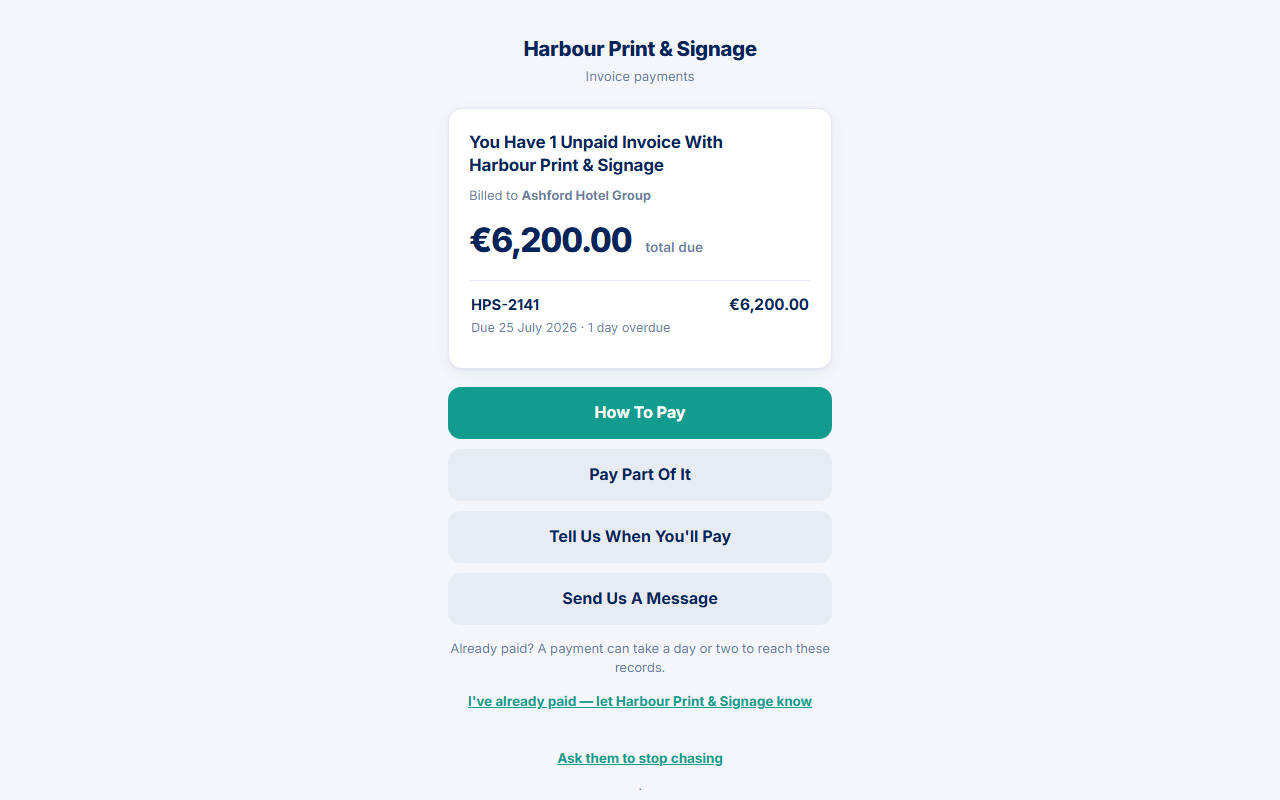
A payment link is a short URL for one customer’s invoices with you. It opens the customer portal under your business name. PayBlah stays a small powered by PayBlah line. The customer does not create a PayBlah account.
Two money pipes must stay apart:
- Customer pays you — bank transfer quoting the invoice, or card on your Stripe Checkout when that connection is active. PayBlah does not hold those funds.
- You pay PayBlah — your subscription on Billing. That checkout never settles a customer invoice.
Before you start
- You need a signed-in workspace user who can open the invoice.
- Do not paste a live
/p/…token into email signatures, screenshots, or this help centre. The token is the whole credential. - Preview what the customer sees can mint or reuse a real customer link. Treat it as live.
Copy the link from the invoice
- Open the invoice from Invoices (or from Customers).
- In the side card labelled Payment link, press Copy.
- Optional: press Preview what the customer sees to open the same portal they will see.
- Send the copied URL yourself if you need the customer to have it outside a Workflow message. Do not type the token into public documentation.
What the customer can do on that link
- How to pay — instructions, or Continue to secure payment when your Stripe connection is usable.
- Pay part of it — only when the link has one unpaid invoice. This is a promised amount, not a payment.
- Tell us when you'll pay — Pro+ promises.
- Send us a message plus secondary paths for already paid, stop, wrong person, and dispute.
What you should see
The customer lands on a page headed with your name. Settled, disputed-only, and unpaid homes differ — see What your customer sees on the portal. When a real payment row is recorded against the invoice, chasing on that invoice is designed to stop.
If something goes wrong
- This link isn't available — unknown, expired, revoked, or archived targets all show the same closed page. There is no hint whether the string was close.
- Give it a moment — the visitor hit the 30-requests-per-minute limit. Wait and try again.
- Tokens start with a 90-day life and shrink to 14 days after first successful open. A harvested URL is not meant to last forever.
- If card checkout fails to open, the pay page says nothing was charged. Offline, quote the invoice reference and use Mark paid when the money arrives.