
Demo
See the product path in one sitting
No theatre. Import → register → workflow → portal → stop rules. Prefer hands-on? Start a free trial on your own invoices. This page is a marketing walkthrough — not isolated /app/demo, not signup Demo book.
Two ways to see it
Self-serve trial, or a human walkthrough
Self-serve: sign up, import CSV or XLSX (or enter invoices by hand), and use first-run review so nothing sends blind. Xero, QuickBooks Online and Sage connectors are coming soon — not live self-serve connect at launch.
With our team: email hello@payblah.com for a live walkthrough with a PayBlah product specialist. Bring a real overdue list if you are comfortable — sample data works too.
We do not ship a glitzy fake video that pretends features exist. Screens on this site are product surfaces.
This marketing walkthrough is not the isolated in-app safe demo and not the signup Demo book. Signed-in Explore the safe demo (/app/demo) cannot send. Signup Demo book writes sample customers into your real book and can be emailed after Start following up.
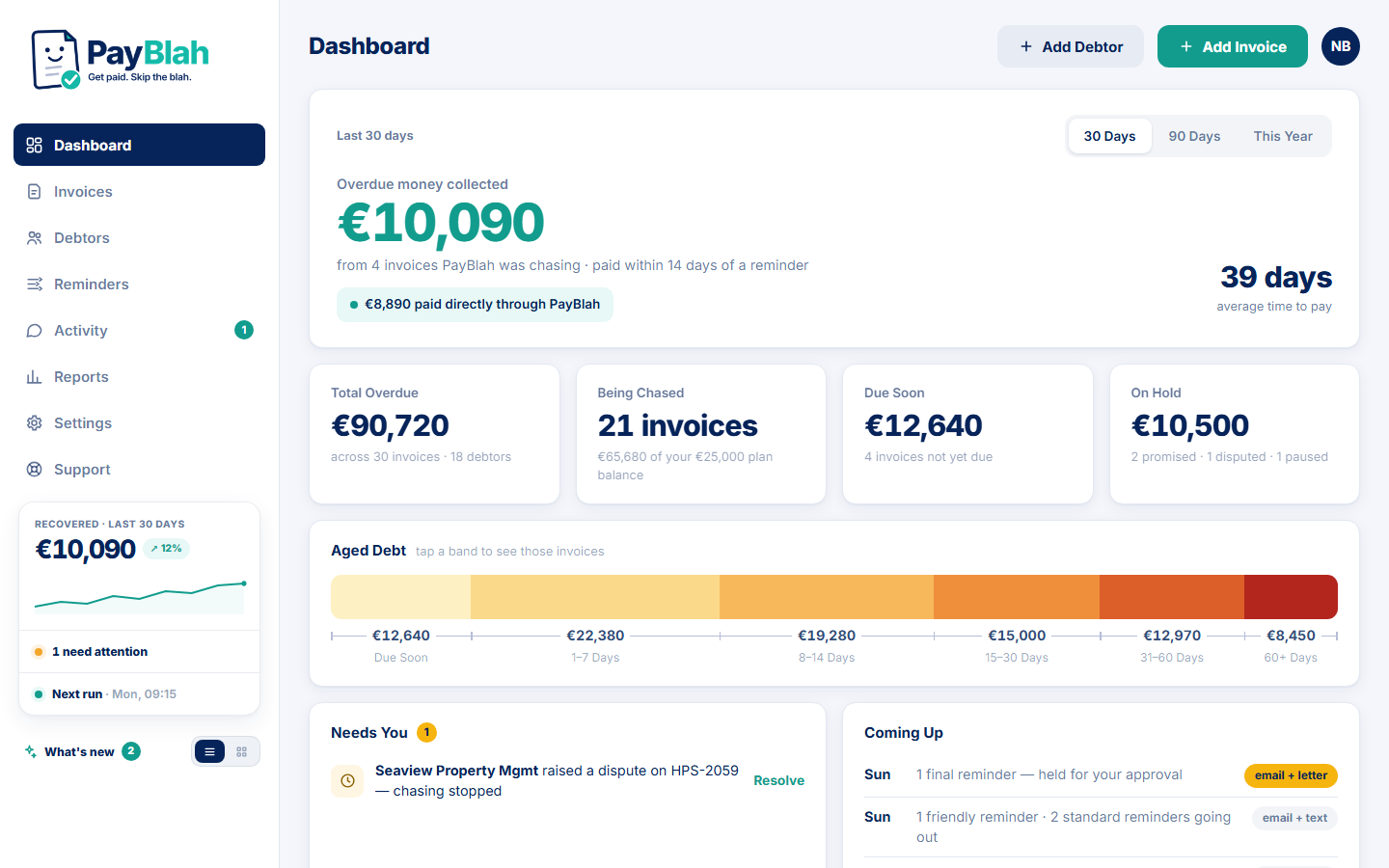
Showcase preview: This current fictional-data dashboard illustrates the product. The in-app safe demo is isolated and cannot send real reminders.
Import invoices today
Map a CSV or XLSX spreadsheet (or enter invoices by hand). Accounting connectors are coming soon — do not treat them as live connect yet.
Read the overdue register
Sort by age and next action. Enrol what should be chased; leave never-chase accounts alone.
Choose a Workflow and tone
Edit Friendly / Standard / Firm wording. Set quiet hours. Leave Firm approval on until you trust the Workflow.
First-run review
See what would send. Approve the plan. Then let the schedule run.
Portal path (Growth+)
Open a sample portal link: view balance, pay flow, promise where the plan allows.
Stop rules
Mark paid, log a reply, or flag a dispute — watch the chase pause or stop instead of continuing.