
Plan: How to pay is on every valid unpaid portal link. Card checkout appears only when your tenant Stripe payments connection is connected, verified, and not failing. That connection is not PayBlah Billing. Offline pay works on every plan. Staff Mark paid is on every plan.
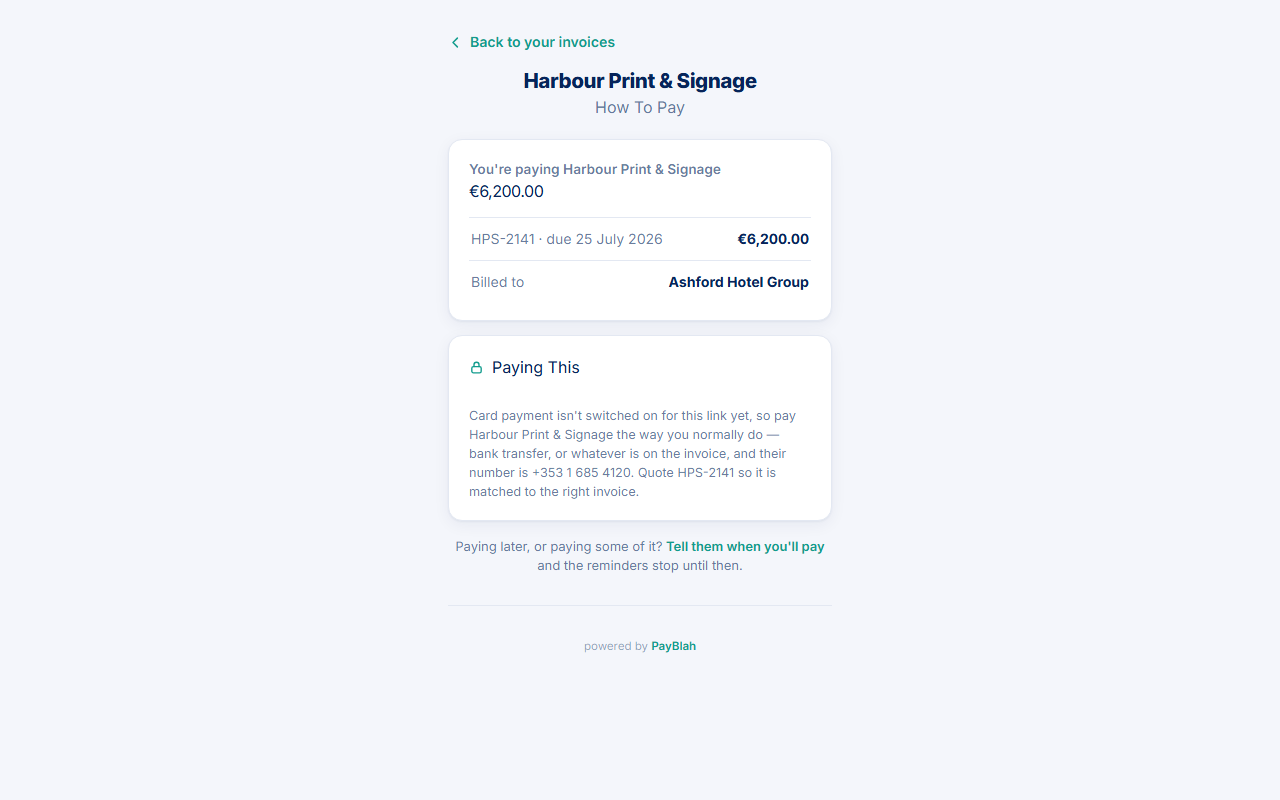
From unpaid home the customer chooses How to pay. The page is headed How to pay, shows “You're paying {your name}”, the amount, each invoice, and billed-to. This is customer-pays-you money. It is not the checkout you use to pay PayBlah.
Before you start
- Connect Stripe under your payments provider settings if you want card. The portal checks that the payments connection is active.
- If the link has no unpaid invoices, How to pay sends the customer home instead of inventing a charge.
When card is not on
- Customer opens How to pay.
- They read: “Card payment isn't switched on for this link yet, so pay {you} the way you normally do — bank transfer, or whatever is on the invoice” plus your phone if set.
- They quote the invoice reference(s) so you can match the money.
- When the funds arrive, you open the invoice → Mark paid → enter amount and Date paid → Record payment.
When card is on (your Stripe Checkout)
- The page says: “Payment opens on {your name}'s own Stripe Checkout page. PayBlah never receives the funds or your card details.”
- The customer picks one unpaid invoice (radio) and presses Continue to secure payment.
- They complete Stripe Checkout on your account. Success returns to the portal receipt. Cancel returns to How to pay.
- If Checkout cannot open, they return to pay with “The secure payment page could not be opened. Nothing was charged.”
If promises are allowed, a line under the card offers Tell them when you'll pay for later or partial intent. That line does not take money.
What you should see
- A confirmed card payment writes a tenant
paymentsrow (sourcepayblah_link) and the receipt can list it. - When the invoice is fully settled, reminders for that invoice are designed to stop.
- Your PayBlah subscription invoice is unchanged.
If something goes wrong
- Customer paid by bank but the portal still looks unpaid — expected until you Record payment or a later import/sync writes the row. The home page already says this can take a day or two.
- They used Pay part of it — that is not a receipt. See Accept a part payment.
- They paid your PayBlah bill by mistake — that is Billing, not this invoice. Refunds and plan invoices are a different guide.