
Plan: Public signup starts a 30-day trial on Starter. No card is required. Anyone with a work email can create an account; you must confirm that email before you can sign in.
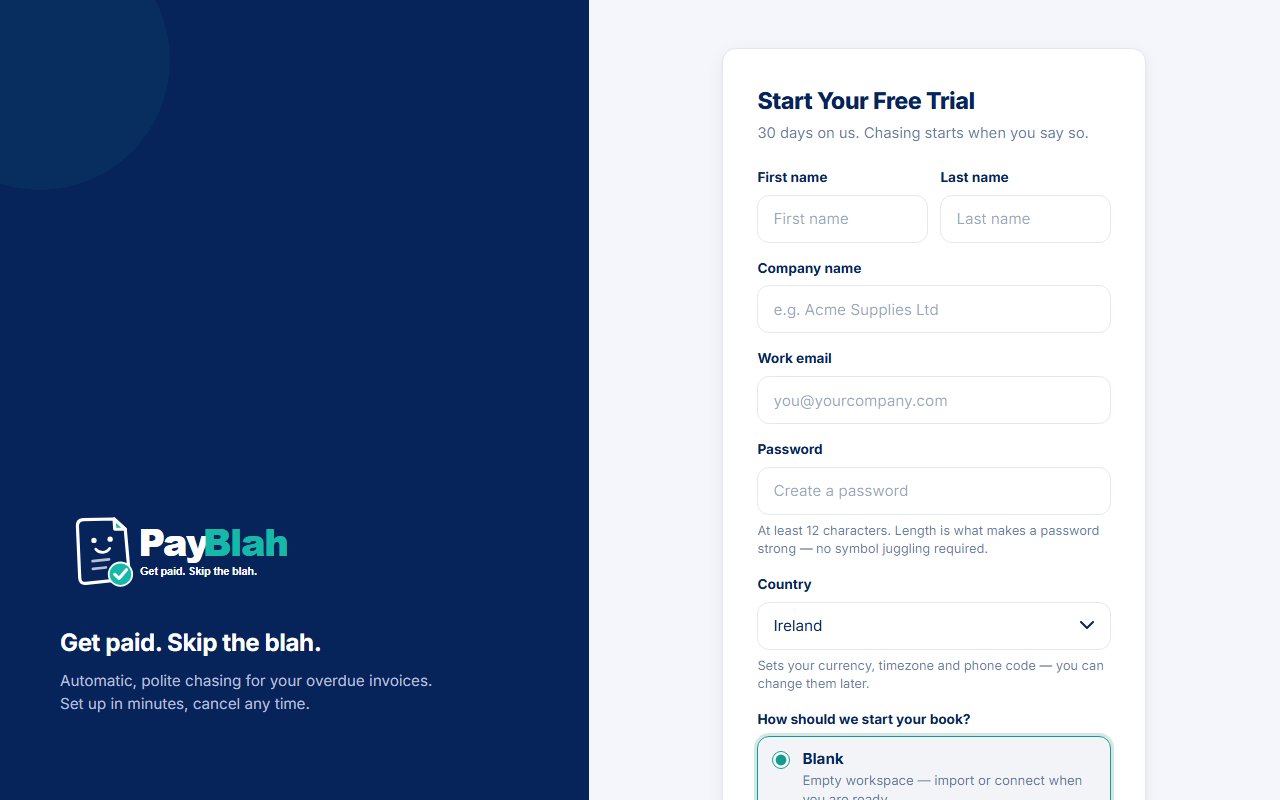
Open a PayBlah trial so you can later chase your overdue B2B invoices in your business name. Signup records the account. It does not open a signed-in session, build the workspace database, or send anything to your customers.
Who can do this
- Anyone starting a new trial. Already have a login? Use Log in on the same page.
- You need a work email you can open now, a password of at least 12 characters, a company name, and a selectable country.
- Launch markets are Ireland, the United Kingdom, the United States, and Australia. The country list is whatever this installation marks selectable.
Create the trial
- Go to /app/signup. The heading is Start your free trial. The lead is 30 days on us. Chasing starts when you say so.
- Enter First name and Last name.
- Enter Company name. This is the workspace name people will see later (for example in Switch Business).
- Enter Work email. This is your login identity.
- Choose a Password of at least 12 characters. The hint says length is what makes it strong.
- Select Country. The hint says this sets currency, timezone and phone code — you can change them later.
- Under How should we start your book?, pick one:
- Blank — empty workspace. Import or connect when you are ready.
- Demo book — a realistic sample ledger written into this workspace’s real Customers and Invoices. After you later click Start following up and connect a mailbox you own, those sample contacts can receive real email. It is not the isolated Explore the safe demo page at
/app/demo.
- Click Start your 30-day trial.
What you should see
PayBlah claims a pending workspace on the Starter trial and emails a confirmation link. No card is stored. The foot of the form reads No card needed — trial runs on the Starter plan. You are not signed in. The workspace is not ready to use until you confirm the mailbox and provisioning finishes.
If something goes wrong
- Already registered? Use Log in instead of creating another trial.
- No confirmation email? After you reach /app/login, use Need a new confirmation email? and Resend confirmation email.
- Too many attempts from one network can be throttled. Wait and try again, or contact Support. Do not ask a teammate to turn security off.
What this does not do
- It does not charge you or store a card.
- It does not start sending. On a live book, sending waits until an Admin finishes setup and clicks Start following up.
- It does not open the isolated safe demo. That is a signed-in page at
/app/demoand cannot send. - It does not give you a PayBlah shared-domain sender. Later you connect a mailbox your business owns.