
Integrations

Sage and PayBlah

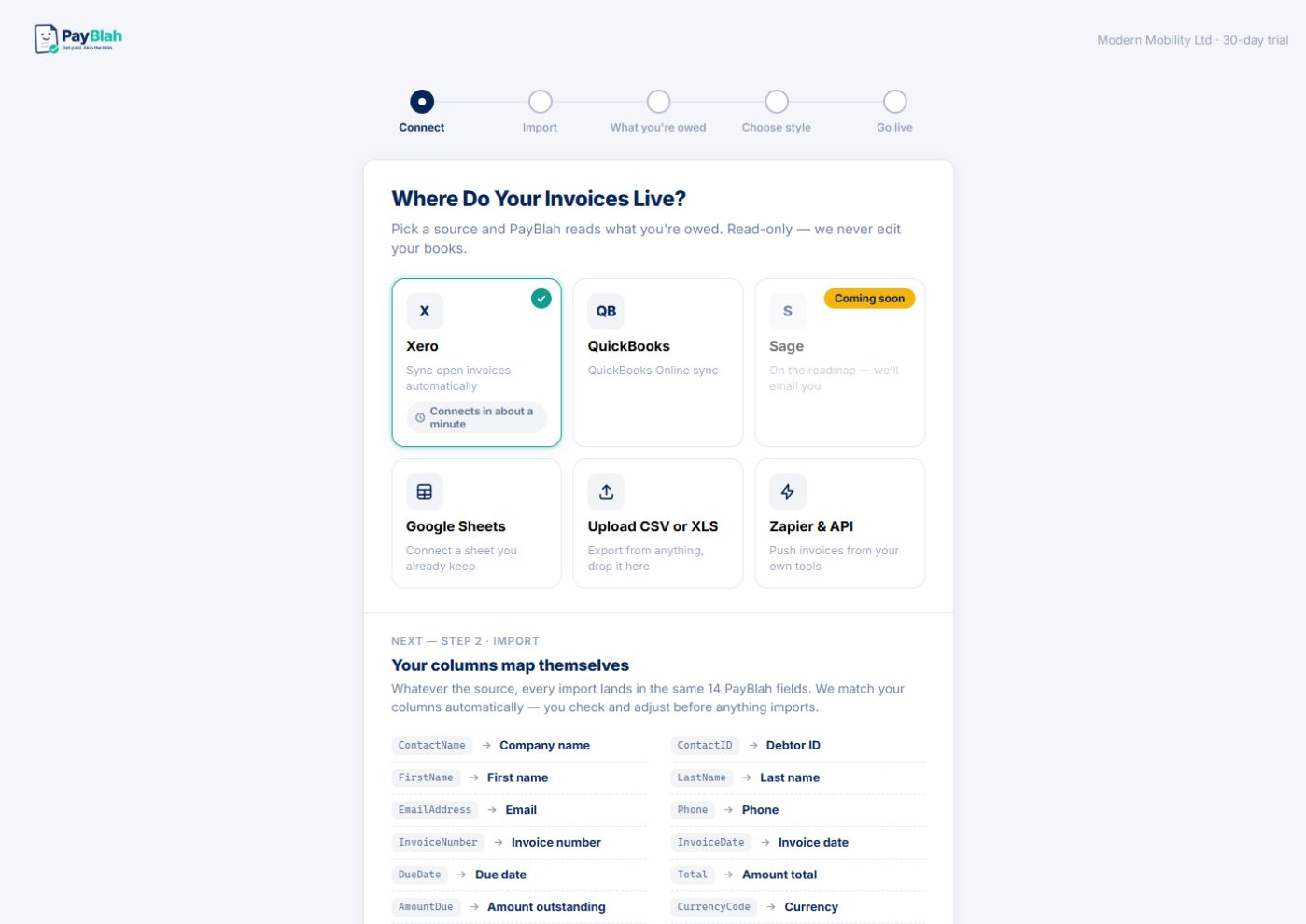
Coming soon. Real Sage OAuth is not launch-ready until PayBlah’s Sage app is registered. Today: import CSV or XLSX and chase by email in your name, stopping when you record payment.

Sage

Keep the chase list honest

Sage shops still need the same thing everyone else needs: a chase list that matches the ledger. Until Sage OAuth ships, import CSV or XLSX so overdue invoices do not live in a forgotten spreadsheet outside PayBlah.

You keep Sage as the accounting home. PayBlah handles polite email follow-ups on every plan (SMS coming soon; portal on eligible plans) without retyping open items.

Current accounting import screen; Sage OAuth is not launched and CSV or XLSX is available today

Availability: Sage OAuth is not launched. Import CSV or XLSX today; legacy .xls is rejected.

What you can expect

  • Planned: connect Sage so overdue invoices can feed the chase register (not live OAuth at launch)
  • Planned: manual and scheduled sync patterns consistent with other connectors
  • Safety rails included; you remain the creditor
  • Active invoice limits apply to enrolled invoices — see Pricing

What this is not

  • Not a claim that every Sage product edition behaves identically without confirmation during setup
  • Not replacement payroll or full ERP functionality
  • Not debt collection on your behalf

Next steps

Start a trial, import CSV or XLSX, and open the invoice register. Use first-run review before any reminder sends. Sage connect is coming soon. Questions: hello@payblah.com (the PayBlah team).

How it works · Security · Workflows

Start with import — Sage coming soon

Nothing firm sends without you. You stay the creditor.